
Walk through the home-health aisle at a drugstore and you will find dozens of pill organizers, locked dispensers, and app-connected gadgets. The marketing makes them all sound essential. In practice, most older adults do better with a simple weekly organizer; some do better with a locked automatic dispenser; a small minority benefit from the app-connected versions. The trick is matching the tool to the parent, not to the brochure.
This guide walks through the categories of medication-management tools, who each one tends to work for, the failure modes families notice, and how to pick one without buying the whole shelf. We are not affiliated with any product. The categories below are the ones the family-caregiver field recognizes.
TL;DR: Three broad categories. (1) Weekly pill organizers — cheap, simple, work for most independent older adults who can still take pills on their own. (2) Automatic locked dispensers — best for parents who are taking pills out of turn, double-dosing, or skipping doses; usually a monthly subscription. (3) App-connected reminder systems — useful for long-distance caregivers who want visibility, less useful for the parent themselves. Start with the simplest tool that solves the actual problem.
Start with the actual problem
Before buying anything, name the problem out loud. Is the parent forgetting doses? Taking the same dose twice? Confused by a complex schedule? Refusing to use what is in the cabinet? Each of these has a different right answer. A parent who simply forgets the morning dose probably does not need a $1,200 dispenser. A parent who took three days of pills in one afternoon probably does need one.
The other question worth asking up front: who fills the device? If a long-distance child is filling a weekly organizer by mail or on monthly visits, the organizer has to be the kind that travels safely. If the local sibling fills it weekly, almost any version works. If the parent fills it themselves, the version with the largest, most distinct compartments is usually right.
Weekly pill organizers
The basic seven-day, four-times-a-day organizer is the workhorse of the medication world. They cost a few dollars at any drugstore. They work for the majority of older adults who can still take their own pills with prompting. The most useful variants are the ones with removable daily trays (so the parent only carries 'today' rather than the full week) and the ones with very large, well-marked compartments.
- Pick the right sizeCount the daily doses. A parent on three or four medications usually fits a four-times-a-day organizer; a parent on ten may need the larger XL-sized boxes. Cramming pills into tiny compartments is what causes spills.
- Removable daily traysA long box that splits into seven separate daily trays lets the parent carry just "today" — to a doctor visit, to lunch, to the porch. The week stays at home.
- Different colors per compartmentHelps a parent with mild visual or cognitive change tell morning from evening at a glance. Worth more than it sounds like.
- A weekly fill ritualSame day, same time, same person. Sunday afternoons are the most common. Print the master medication list and use it as the checklist as the organizer is filled.
- A second organizer for travelFor overnight trips, a second small organizer pre-filled with just those days is safer than dumping pills into a baggie.
Automatic locked dispensers
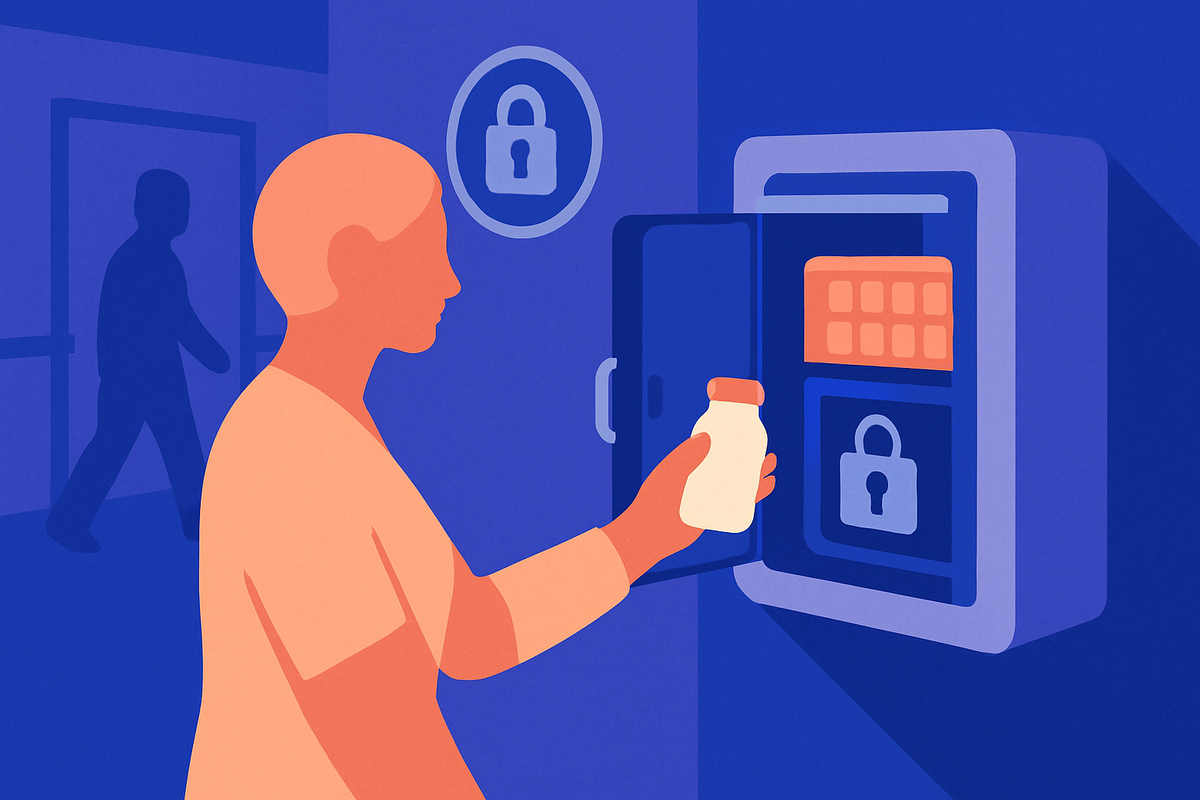
Automatic dispensers — Hero, MedMinder, Philips Medication Dispensing Service, and several others — are the category that has matured most in the last few years. They are countertop devices, usually a stack of pre-loaded compartments under a lock, that release the right pills at the right time and alarm if a dose is missed. Most cost $50–$80 per month as a subscription; some have an upfront device cost.
They are worth the money when a specific safety problem is showing up: a parent taking pills out of turn, double-dosing, skipping doses, or losing pills around the house. They are not necessary for parents who are managing well with a weekly organizer. The most important feature is the lock — a parent with dementia who can defeat the lock will defeat the lock — and the second most important is the missed-dose alert to a designated family member.
- Locked compartmentsThe lock is the whole point. A device that just plays a chime is a reminder, not a safety system.
- Missed-dose alerts to familyThe most useful feature for a long-distance caregiver. Pick a device whose alerts go to the right people at the right times.
- Pharmacy-fill or family-fillSome services come with the pills pre-packaged by a partner pharmacy; some are filled by a family member each month. Pre-packaged is more expensive and more reliable. Family-fill is cheaper and depends on the family.
- Battery backupPower outages are not an excuse for missed doses. Every serious dispenser has a battery for at least twenty-four hours.
- Easy to override in emergenciesThe right device has a clear, documented way for a family member or paramedic to open it in a true emergency without breaking it.
App-connected reminder systems
App-connected systems — including the apps a parent uses on their own phone — sit in a middle band. They work well when the parent themselves is technology-comfortable and adherence is the only issue. They work less well when the parent has any cognitive change. The reminder is only useful if the parent reliably checks the phone and acts on the alert.
For long-distance caregivers, the family-facing view of an app-connected system can be genuinely useful — seeing whether the morning dose was taken on time, on a phone in another city, removes a class of anxiety. That benefit is for the family, not the parent. It is worth being honest about which side the value lands on when picking a tool.
Failure modes families notice
Three failure patterns surface repeatedly in family-support communities. First: the over-engineered solution. A $1,500 device for a parent who needed a $4 weekly box and a printed list. Second: the unmaintained device. A locked dispenser that no one has refilled in three weeks because the family member who set it up moved away. Third: the device the parent will not use. A perfectly good tool sitting in the cabinet because the parent finds it confusing or intrusive.
The fix for all three is the same: start with the simplest tool that solves the actual problem; assign one family member as the device owner; and watch closely for the first two weeks. If the tool is not being used, move to the next category up — or, sometimes, the next category down.
Picking one
Start with a weekly organizer. Use it for a month. If doses are still being missed, doubled, or skipped, move to a locked dispenser. If the parent is independent and tech-comfortable and the only issue is reminders, an app on the parent's own phone is enough. Almost no parent benefits from owning all three.
The medication-management tool is only as good as the medication list it is filling. For the step-by-step on building and maintaining the master list, see The Caregiver's Guide to Managing Your Parent's Medications. The list the device dispenses from is also where decoding a pharmacy bottle becomes useful — for that piece, see How to read a pharmacy bottle (and what the codes mean). And if the family has been using Medisafe and is looking to switch, the related piece walks through what changes — see Switching from Medisafe? Here's what changes.. For the longer pillar, the Medications hub has the full set.
A note on what helps: Aging Sidekick can help you turn the bottles on the counter into a clean printed list — the input every organizer, dispenser, and app eventually needs. Free to start. We complement, not replace, your healthcare team — always ask the pharmacist when you are loading a new device for the first time, and never change a medication regimen on your own.
Build your parent's medication plan
Aging Sidekick captures every prescription, OTC, and supplement your parent takes — voice intake or document upload — and gives you back a clean, shareable medication list with side-effect flags.
Start a medication planSee the medication-management walkthrough →